gober168Android & iOS App
Our gober168 mobile app is designed to bring live-dealer tables, sportsbook markets, and slot games to your phone wherever you are in a supported jurisdiction. Whether you are following Liga 1 matches during Idul Fitri or playing blackjack from Bandung, our app ensures a consistent, secure experience across Android and iOS devices.
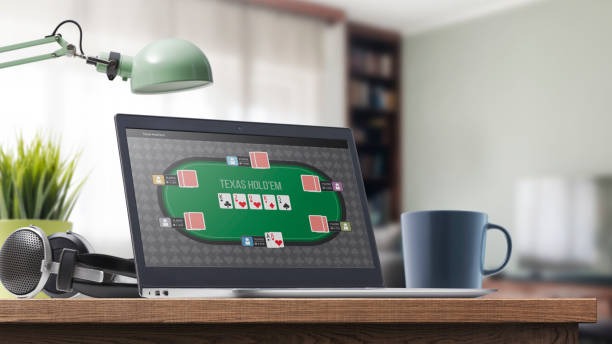
- and
- LoginOTP Verification
- Installin
- StartFirst Game
We at gober168 build our mobile experience around three core principles: account security, fast gameplay, and reliable access to our full range of services. The app uses the same encryption and KYC verification as our web platform, so your deposits via e-wallet, mobile banking, local payment, or online payment are protected with the same rigour whether you are on your phone or desktop.
This guide covers how to download, install, and verify your gober168 account on Android and iOS, common setup issues, and how the app compares to our browser-based experience.
Download gober168 for Your Device
We provide multiple ways to access gober168 on mobile: direct Android APK download, iOS browser access, and our responsive web app. Choose the method that suits your device and preference.

How to Install gober168 on Your Phone
Follow these steps to download, install, and activate your account on gober168.
-
Download the gober168 app file
For Android, download the APK directly from our website. For iOS, open Safari and navigate to our mobile web app; add it to your home screen for app-like access.
-
Allow installation from unknown sources (Android only)
On Android, go to Settings > Security and enable "Install from Unknown Sources" before running the APK file. This is necessary because we distribute the app directly rather than through the Google Play Store.
-
Install and open the app
Tap the downloaded file to install. Once complete, open the app and you will see our login screen. If you do not yet have a gober168 account, tap "Create Account" to register.
-
Complete account verification and deposit
After registration, we will ask you to verify your identity and address (KYC). Once verified, you can deposit via DANA, e-wallet, mobile banking, local payment, online payment, e-wallet, or bank transfer and begin accessing our live-dealer tables, sportsbook, and games.
gober168 App versus Browser Experience
Our native Android app offers several advantages over browser access, though both provide full game coverage and account security. The app stores game assets locally, reducing load times when you play blackjack or follow live Piala AFF odds. Push notifications alert you to live dealer availability, market shifts, and account activity. The app also caches recent transactions so you can view your history offline. Android browsers, by contrast, require a fresh internet connection for each session and do not send notifications. iOS users can add our web app to their home screen for quick access, though the browser experience is similar to desktop.
If you use gober168 frequently from Medan or Semarang and want faster table loading, the Android app is worth the few minutes of setup. If you prefer not to manage app installations or prefer using multiple browsers on one device, our responsive web interface works equally well on any modern phone.
App vs. browser strengths
- App: offline cache, push notifications, faster table load, persistent login
- Browser: no installation, works on any device, no permissions required, easier to update
- Both: full encryption, KYC verification, identical game selection, same payment methods
Device and Operating System Requirements
We at gober168 support Android 7.0 and later on the app. Most phones from the last five years meet this requirement; if your device is older, you can still use our web app in any browser. For iOS, our web app works on iOS 12 and later, covering all recent iPhone and iPad models. We recommend keeping your device updated to the latest operating system version for security and performance.
Troubleshooting Common Install and Access Issues
If you encounter problems installing or opening the gober168 app, check the following. On Android, "Unknown Sources" must be enabled before the APK can run; this is a system security setting, not a gober168 restriction. Your phone may also require you to confirm the app's certificate before installation—this is normal. If the app crashes after launch, try clearing your phone's cache (Settings > Apps > gober168 > Clear Cache) or reinstalling. On iOS, if the web app does not save to your home screen, try using Safari instead of Chrome; other browsers sometimes handle home-screen shortcuts differently. If you cannot log in after installation, verify that your email and password are correct, or request a password reset from the login screen.
Data Permissions and Account Security
Our gober168 app requests permission to access your internet connection, storage (for cached game files), and optionally your camera (for identity verification during KYC). We do not access your contacts, location, or other personal data. All communication between the app and our servers is encrypted using TLS 1.2 or higher. When you log in, your session is protected by two-factor authentication if you have enabled it in your account settings. We recommend enabling two-factor authentication on any account where you store funds, whether you use the app or browser. Your payment details (DANA, e-wallet, mobile banking, local payment, etc.) are handled by secure third-party processors and are never stored on our servers in unencrypted form.
Using gober168 Responsibly on Mobile
Because mobile access is convenient and always available, we recommend setting personal boundaries before you begin. Decide in advance how much time and money you will allocate to using gober168, and stick to that plan. Our live-dealer tables (blackjack, roulette, baccarat, Dragon Tiger) and sportsbook markets (Liga 1, Piala Indonesia, Piala AFF) are entertaining, but they involve financial risk. Use gober168 only in jurisdictions where it is legal, and verify that your access complies with local law.
Keep your login credentials and two-factor authentication codes confidential. If you notice unusual activity on your account, change your password immediately and contact our support team. Do not share your mobile device with others, and always log out before lending your phone to someone else.
Our mobile app is designed to provide the same security and fairness as our web platform. Whether you are placing a sportsbook order during Idul Adha or playing a slot game during a break in Surabaya, your account is protected by the same KYC verification, encryption, and dispute-resolution policies that apply to all gober168 users.